Terminal settings
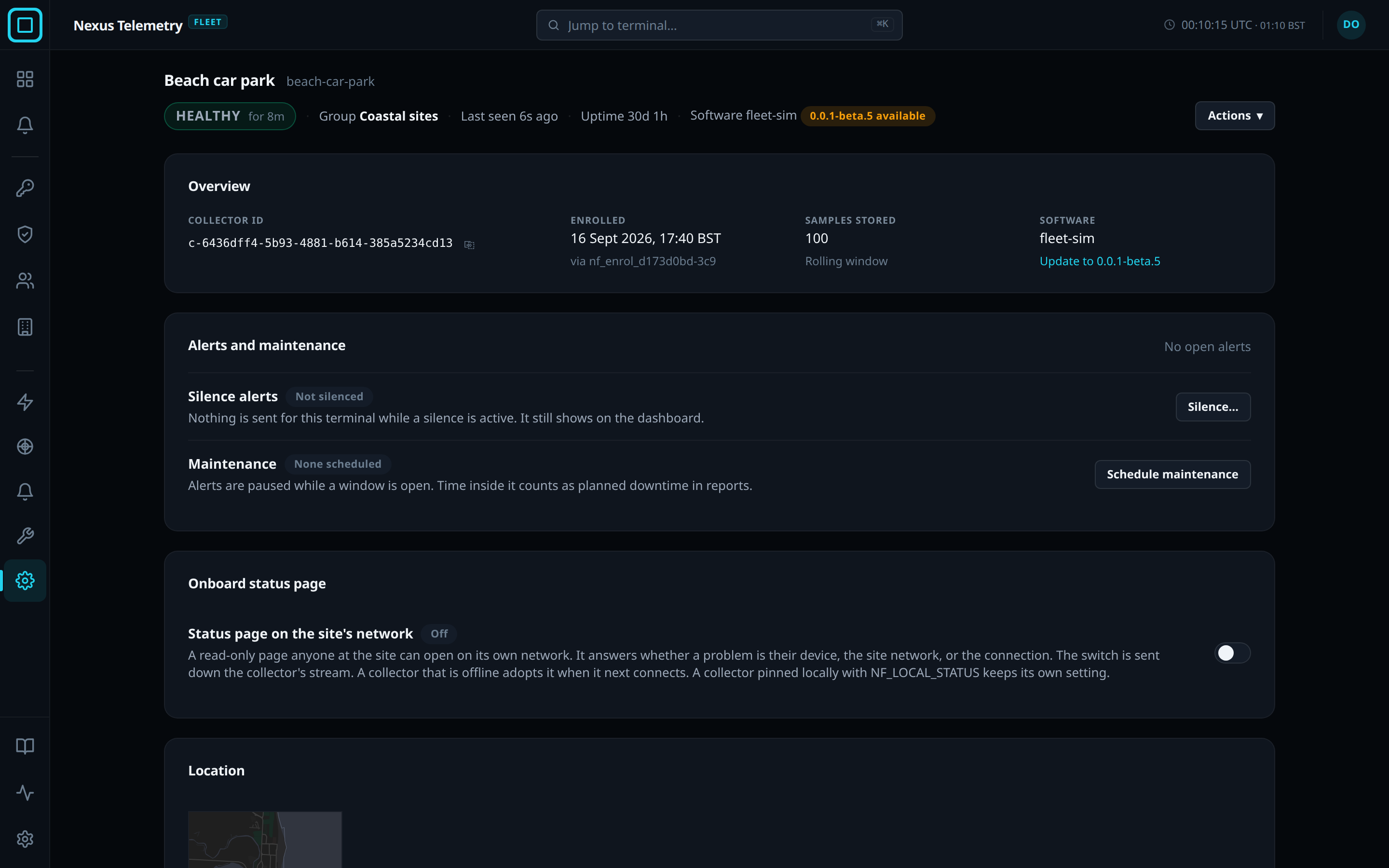
The Admin view is the settings view of one terminal in Nexus Telemetry Fleet. It is the last of the 5 views of a terminal’s page, listed in the icon rail on the left. It shows the settings of the terminal’s collector, and the actions that manage the collector. Unlike the Live view, opening it does not ask the collector for live readings. See Live view for the page.
Actions
The Actions menu is shown to users with the Owner, Admin or Operator role. A user with the Viewer role does not see it. See Users and roles for the roles.
| Action | Effect |
|---|---|
| Rename | Changes the terminal’s display name. The hostname and the collector id do not change |
| Update software | Offered when the collector’s version differs from the newest on the fleet server’s release channel. Opens a drawer, and confirming starts the update. See Release channels |
| Rotate certificate | Queues a new device certificate, delivered over the collector’s connection or at its next connection |
| Request speed test | Asks the terminal to run a speed test |
| Decommission | Retires the collector, for one that is still under control |
| Revoke | Blocks the collector from ever connecting again, for one that is lost, stolen or no longer trusted |
Decommission and Revoke ask for the collector’s hostname to be typed, as confirmation. See Retire and revoke for both, and for Remove, which deletes the record of a retired collector.
Sections of the view
| Section | Contains |
|---|---|
| Overview | The collector id, when it enrolled, the samples stored and its software version |
| Alerts and maintenance | The 3 ways to stop alerts about a known problem: a maintenance window, acknowledging an alert, and a silence. See Maintenance windows |
| Onboard status page | The switch for the page the collector serves on the site network. See Onboard status page |
| Location | The source of the terminal’s position. See Collector GPS |
| Certificate | The collector’s device certificate, and Re-admit this collector for a collector whose certificate expired while it was offline. See Retire and revoke |
| Event History | The terminal’s events, with the time, who acted and the detail |
| Retire or block this collector | Decommission and Revoke, replaced by Remove once the collector is retired. See Retire and revoke |