Audit trail
The audit trail is the record Nexus Telemetry Fleet keeps of every administrative change and who made it. Each organisation has its own trail and sees only its own. Users with the Owner or Admin role can open it. See Users and roles for the roles.
Recorded actions
The trail records changes to settings, groups, users, and certificates and keys. It never records readings, positions, tokens or keys themselves.
| Column | Gives |
|---|---|
| Time (UTC) | When the change was made |
| Who | The user who made it |
| Action | The kind of change, for example Fleet created. Groups are recorded under their old name, Fleet |
| Target | What was changed: a group, a user, a terminal, a token, or the organisation. A dash when there is none |
| Detail | The specifics, such as a group’s new name |
Organisation trail
- Open Organisations in the rail.
- Open the actions menu at the end of the organisation’s row.
- Choose Audit.
Organisation audit log on the Users and roles page opens the same trail.
Operator trail
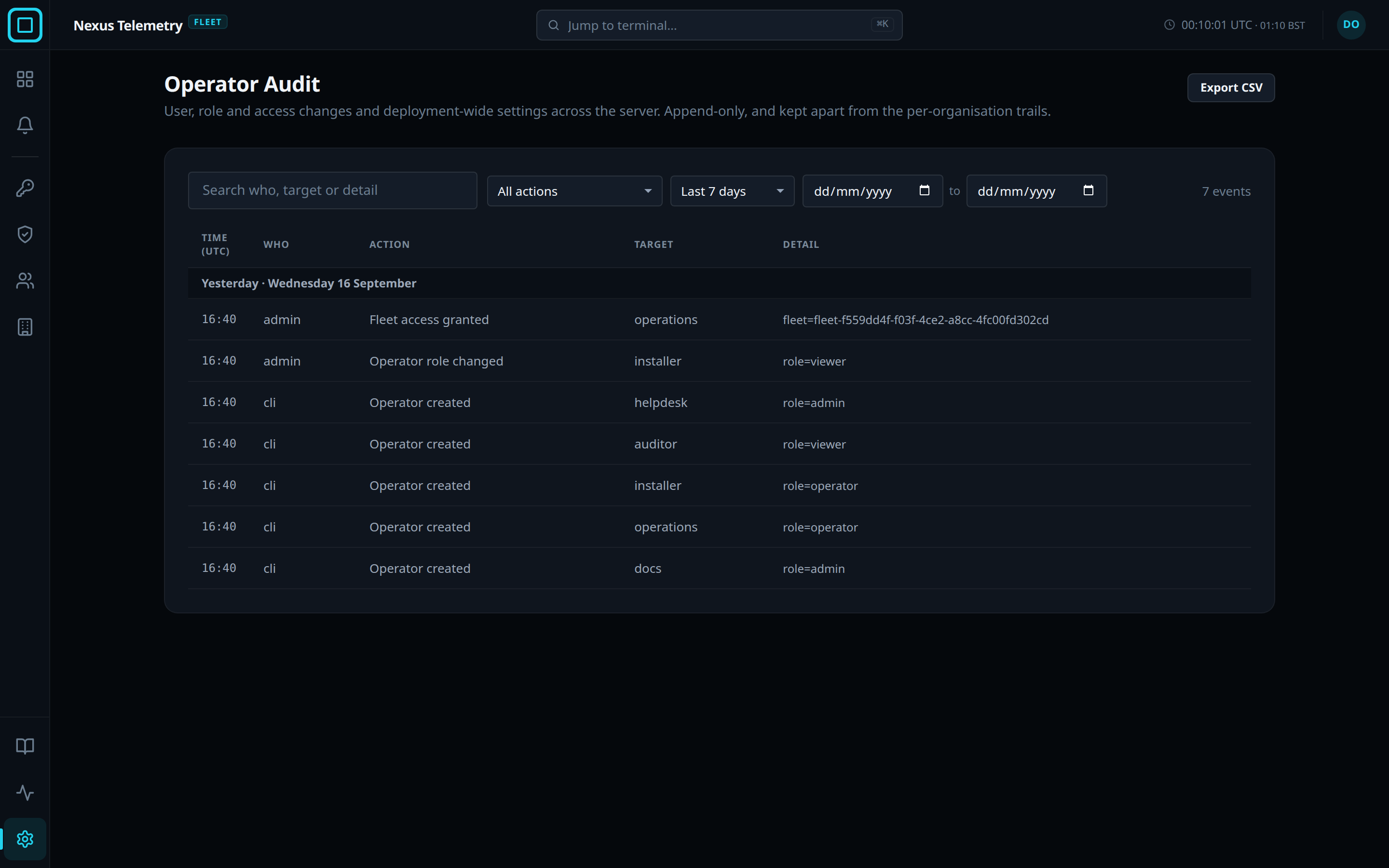
Operator Audit is a second trail that covers every organisation on the fleet server. It records user, role and access changes and changes to fleet-wide settings. Only users with the Owner or Admin role in the platform organisation, the one created at the fleet server’s first run, can open it.
Filters and rows
Rows are newest first, under the headings Today, Yesterday, and then dates. Times are in UTC. The signed-in user’s own actions are marked you. 500 rows are shown at a time, and Show older events shows the next 500.
| Control | Effect |
|---|---|
| Search who, target or detail | Shows only the rows on screen that contain the text |
| Action | Shows one kind of change. The default is All actions |
| Period | Last 7 days, Last 30 days, Last 90 days, or Custom range with two dates |
| Export CSV | Downloads every row matching Action and the period, up to 50,000 |
When the search matches no row, the trail reads No events match. Widen the period or clear the search. When the period returns none, it reads No matching audit entries.
Clicking a row, or pressing Enter on it, opens the full record: the action,
the time to the minute, Who, Target, Detail and the Event ID.
Copy as JSON copies the record.
Retention
Audit entries cannot be edited or deleted. Names are recorded as they were at the time, so a later rename does not change history. Entries are kept for the life of the fleet server. Audit log under Data on the Settings page bounds the enrolment and certificate logs, not this trail.